Why small shops are wary of discounts
A discount you cannot control can cost more than the sales it brings. Codes get passed around beyond the people you meant them for, run past the date you had in mind, or teach customers to wait for the next deal.
The answer is not to avoid promotions. It is to run them with a few simple limits, and to see exactly what each one did.
Know your margin before you pick a number
Before choosing ten per cent or two dollars off, work out what is left on the item after your costs. A discount comes straight out of that. On low-margin items, a small fixed amount is often safer than a percentage.
Four rules for a safer promotion
- Set a limit on uses — a code that can only be used a set number of times cannot run away from you.
- Set an end date — promotions with a deadline create a reason to visit now.
- Give each code one purpose — a welcome code, a win-back code and a social media code should not be the same code.
- Track every redemption — if you cannot see what a code did, you cannot decide whether to run it again.
Three kinds of discount
- Flat dollar — a fixed amount off, such as two dollars. Easy to understand, and predictable for you.
- Percentage — a share of the bill. Good for larger baskets, but it costs more on bigger orders.
- Combo — a combination, useful when you want to bundle items or reward a larger spend.
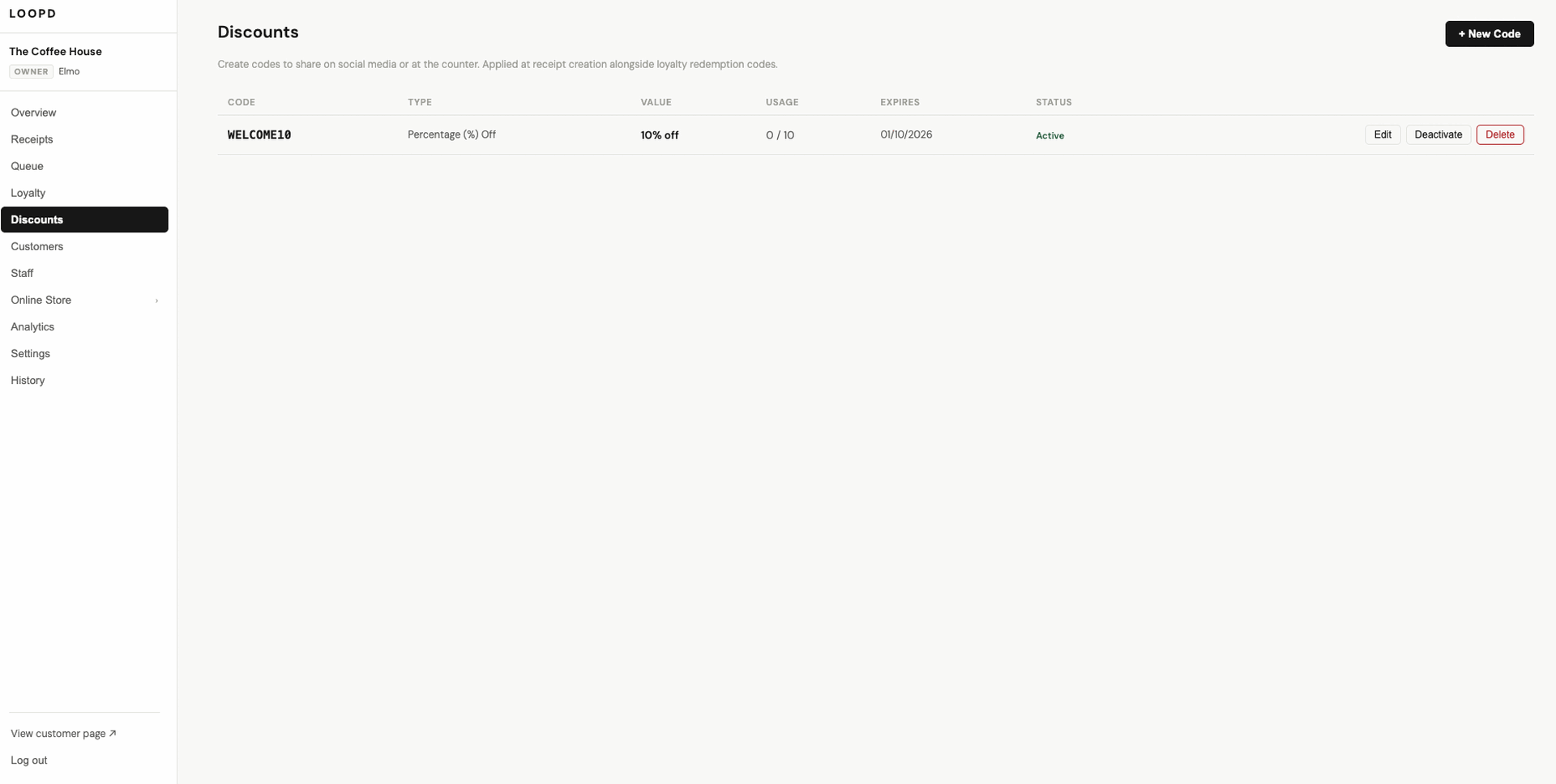
The Discounts page: each code shows its type, value, usage, expiry and status.
Three code ideas for small shops
- A welcome code for first-time customers, to give people a reason to try you.
- A “we miss you” code for regulars who have gone quiet. Your customer list shows who they are.
- A different code for each channel, such as one for Instagram and one for a flyer. Counting redemptions per code tells you which channel is working.
How it works at the counter
With loopd, discount codes are applied at the point of receipt creation, so the discount shows clearly on the customer’s itemised receipt. Every redemption is tracked and logged, and each code is marked active, expired or disabled, so you can switch one off the moment you need to.
Discounts is an add-on module to the loopd platform, quoted separately from the core plan.
Reading the results
For each code, compare how many times it was used against its limit. A code that is used up in a day may have been too generous. A code that is never used may not have been seen, or may not have been worth the effort. Either way, you now have something to adjust.
Common questions
Do customers need an app to use a code?
No. Codes are applied by your staff at the counter when the receipt is created.
Can I switch a code off early?
Yes. Each code has a status, and you can deactivate one at any time.
Is it included in the core platform?
No. Discounts is an add-on module, quoted separately. We confirm pricing with you before anything is added.
See it running on your own counter
Free demo, no commitment. We bring the device to you.