The worry: it sounds like a big project
Many owners assume that going digital means replacing the POS they already know, retraining staff and risking downtime. That worry keeps good ideas off the table, because a busy shop cannot afford a disrupted week.
Digital receipts do not require any of that. The receipt layer can sit alongside your POS, reading what it already produces.
What “alongside” actually means
- A small device on your counter — it connects to the same network as your POS.
- Nothing installed on your POS — the POS itself is untouched.
- No retraining — staff ring up sales exactly as before.
- A quick setup — it is usually completed within a week of the first visit.
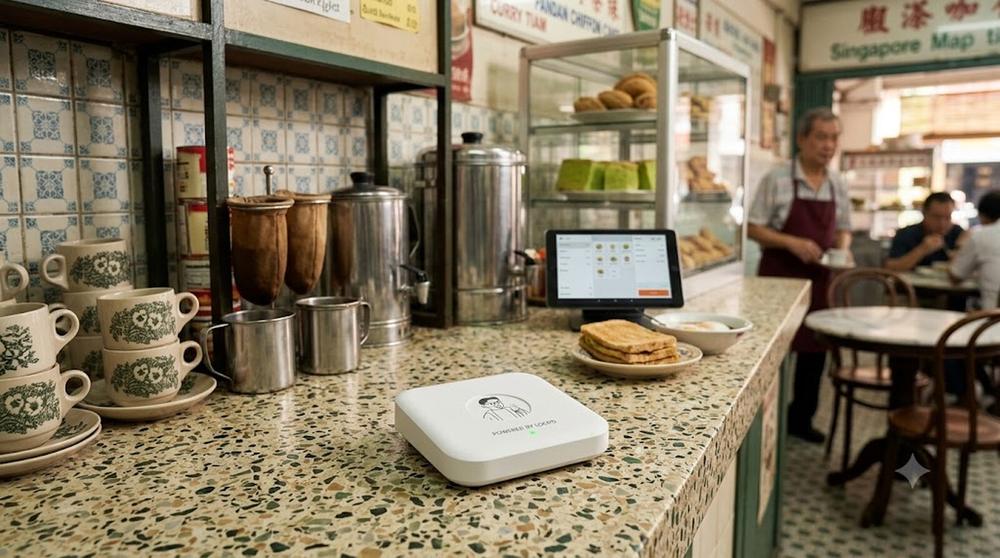
The device sits on the counter next to the till you already use.
How it gets set up
The first visit is a consultation, with no commitment. We connect to your network, print a few test transactions from your POS and take those samples away to build your receipt format. On the second visit we return, place the device and go live.
Looking at real transactions from your own POS is what makes it work. Each POS produces its sales data in its own way, and the samples show exactly how yours does.
What if the internet goes down?
Your POS and your sales carry on as normal. The receipt layer is an addition to the till, not something your shop depends on, so a problem on its side never stops you from serving customers.
What you gain without changing the till
- Digital receipts customers can keep, with no paper to print.
- A customer record built from every tap, with no data entry.
- A loyalty programme with points on the receipt page.
- Optional add-ons such as a phone queue, discount codes and an online store.
Questions to ask any vendor
Ask whether the system needs changes to your POS, who does the setup, how long it takes and what happens if the connection drops. Our seven-question checklist covers these and more.
Common questions
Will it work with my POS?
That is what the first visit is for. We look at sample transactions from your own POS to confirm how it produces its sales data before anything is built.
Do I need to buy new hardware?
The device is provided by loopd and uses your existing Wi-Fi network. Nothing else needs to be bought.
What if I change my POS later?
Speak to us before you switch. Your receipt format is built from your POS’s sample transactions, so a new POS means checking those again.
See it running on your own counter
Free demo, no commitment. We bring the device to you.